Calibrating Sensors
To begin the process of assigning sensors, please ensure you have internet access and bluetooth connectivity enabled on your iPad or iPhone, and that your sensors are placed next to your iPad or iPhone.
Step 1
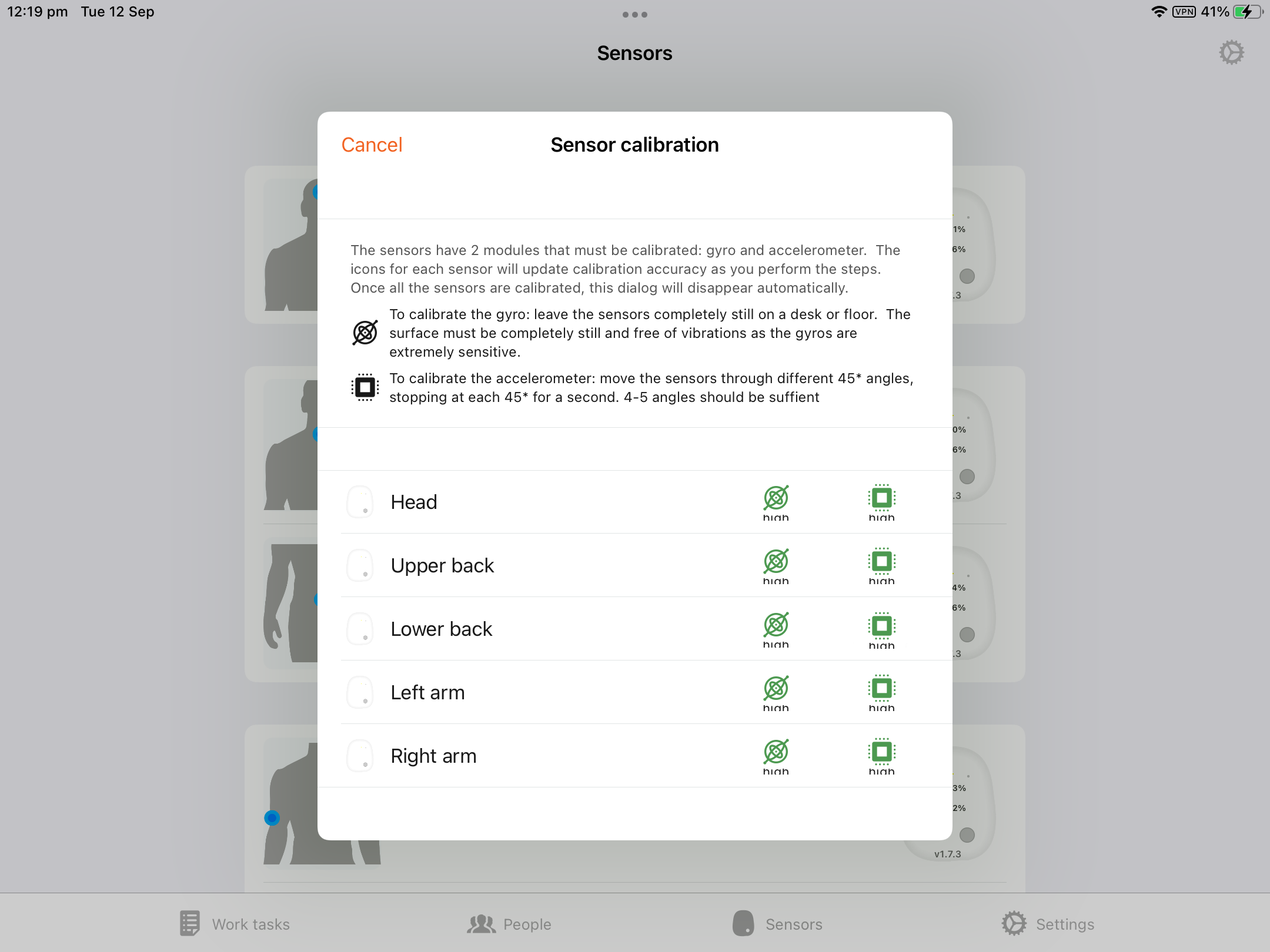
Begin the calibration process by going to the orange settings icon in the top right of the corner of the screen and select ‘Calibrate sensors’.
Step 2
Place the sensors on a flat surface for several seconds until the app calibrates each of the gyros.
The gyro button will turn green once the process is complete.
Step 3
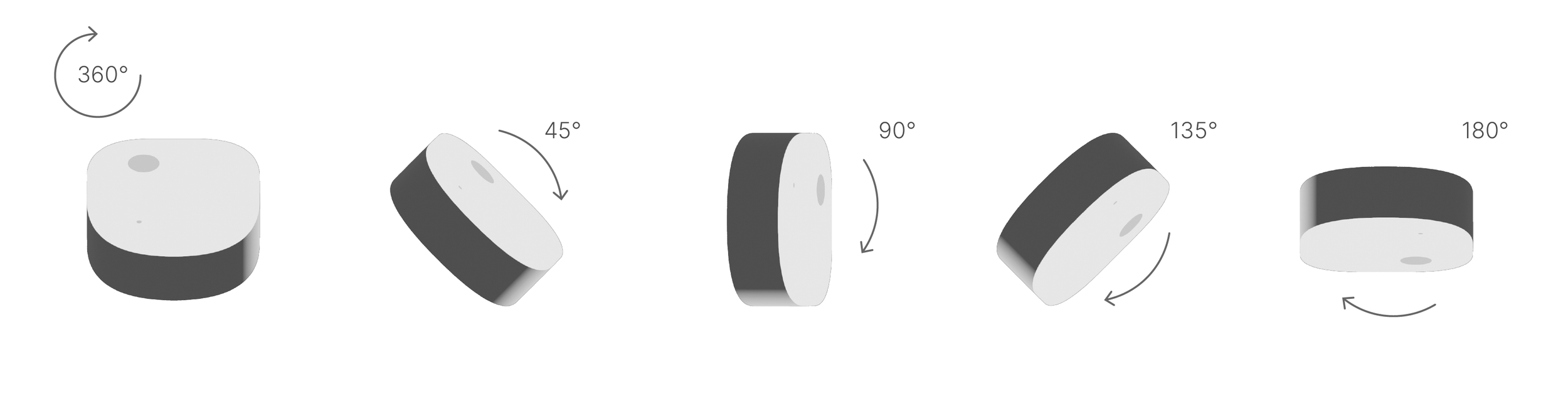
Slowly rotate each sensor sideways around the X axis in 45-degree increments, pausing at each 45 degree angle for 3 seconds.
Step 4
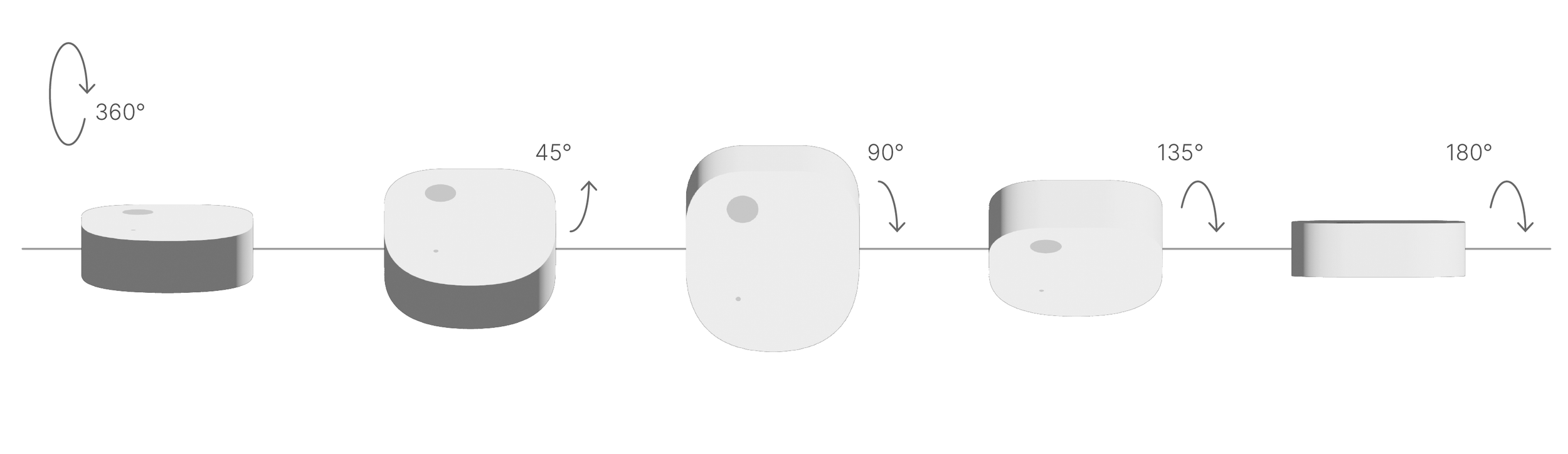
Slowly rotate each sensor forwards around the X axis in 45-degree increments, pausing at each 45 degree angle for 3 seconds.
Step 5
Repeat the calibration process until all sensors are calibrated and the accelerometer check buttons have all turned green.
Once the calibration is complete, the app will automatically take you back to the sensor home page.
The sensors are now ready for use.